

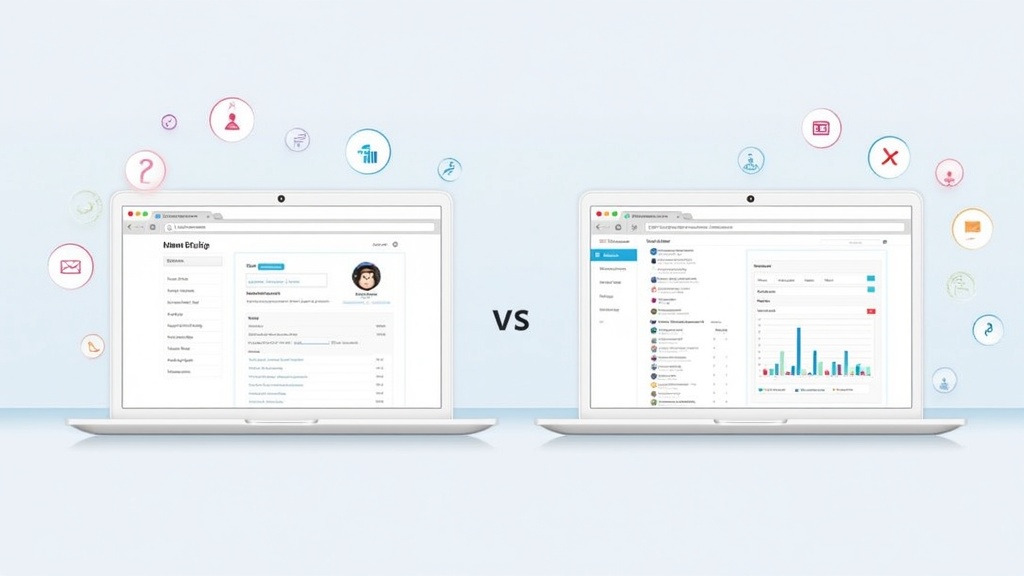
 MailerLite or Mailchimp? Here is the research I came up with while considering which one I should choose for myself.
Choosing the right email marketing platform can completely change how I connect with subscribers, manage campaigns, and grow my business. Two of the most popular platforms that often come up are MailerLite and Mailchimp. Each tool offers a helpful set of features to create, send, and track email campaigns, but there are some key differences that have a real impact on daily use and long-term results. I have come across both of these platforms within Wealthy Affiliates because veteran members of the community often use one or the other.
MailerLite is known for its easy interface and affordable pricing. The platform gives users strong options for email design, automation, and landing pages. Mailchimp is popular for its brand recognition, broad set of tools, and large integration marketplace. Over time, the service has added website building, advanced automations, and AI-powered insights. So far so good, they both sounded useful to me so I tried both of them.
So, lets get on with the business at hand:
I have been researching for, a while, both platforms to manage email lists, send regular newsletters, and launch product promotions. If you are comparing MailerLite and Mailchimp for your email marketing needs, this guide breaks down real-world differences in features, pricing, usability, automation, integrations, reporting, and extra tools like landing pages and websites.
Overview of the Platforms
What is MailerLite?
MailerLite is an email marketing service focused on simplicity, modern design, and low prices. I can quickly design efficient campaigns, build out automations, create landing pages, and manage subscribers with little technical background required. The platform is lightweight and easy to use, making it especially appealing to small businesses, creators, and nontechnical users who want to do more with less effort. This is sounding really good to me because I need lightweight for my website and easy to use for me.
Who Should Use MailerLite?
- Freelancers and creators needing effective, low cost email marketing
- Small businesses ready to automate basic email sequences
- Users who want a simple, clear interface
- People planning to build basic landing pages and popups
MailerLite Pros & Cons
Pros:
- Very beginner friendly with a clean interface
- Generous free tier for starters
- Landing pages and website features included
- Straightforward pricing with clear limits
Cons:
- Limited advanced automations compared to Mailchimp
- Smaller third party app ecosystem
- Templates and design blocks are good but slightly less varied than Mailchimp
- Personally, I will not be needing any “advanced automations” or any large “third party app ecosystems”. At least not for a year or two. I am still in the beginning stages of building my website.
What is Mailchimp?
Mailchimp started out as an email marketing provider and later grew into a platform covering landing pages, websites, ads, postcards, and more. It is aimed at businesses of all sizes who want both simple email marketing and broader marketing solutions. The platform gives strong analytics, huge template libraries, and advanced automation features, but can feel busier and more complex. Mailchimp’s large integration directory opens up even more workflow options for those who need that.
Who Should Use Mailchimp?
- Businesses of any size who expect to grow quickly
- Marketers who want advanced segmentation and automations
- Organizations needing deep integration with third party tools
- Users who plan to use landing pages, social integrations, and multichannel campaigns.
- Now this does interest me because I never could get the knack of creating appealing landing pages. My landing pages have not been up to par. I could use the kind of help that Mailchimp offers.
Mailchimp Pros & Cons
Pros:
- Large template library and design resources
- Powerful automation and segmentation
- Wide range of integrations and partner apps
- Offers website and CRM tools in one place
Cons:
- The free plan has become more limited
- Pricing grows quickly as lists and needs expand
- Interface can feel crowded to new users
Pricing and Free Tier Limits
When I evaluate an email platform, the pricing structure and free plan limits are usually the first things I check. Both MailerLite and Mailchimp offer a free plan, but there are differences in what is included and how much can be done before a paid upgrade is required.
MailerLite Pricing and Free Plan
- Free plan: Up to 1,000 subscribers, 12,000 emails per month, 1 user, basic email automation, 10 landing pages, and drag and drop editor access. Limited customer support (email only).
- Growing Business Plan: Starts around $9/month for 1,000 subscribers, includes unlimited emails, advanced automations, 3 users, 24/7 email support, auto resend, and dynamic emails.
- Advanced Plan: Starts at about $19/month for 1,000 subscribers, adds more users, Facebook integration, promotion popups, custom HTML editor, and priority support.
- Pricing scales up with subscriber count. The free tier works well for most beginner projects, and features are rarely hidden behind higher plans.
Mailchimp Pricing and Free Plan
- Free plan: Up to 500 contacts, 1,000 monthly email sends, basic templates, 1 user, forms and landing pages, basic email automation, and limited support for 30 days.
- Essentials Plan: Starts at $13/month for 500 contacts, adds scheduling, more templates, AB testing, 3 users, and 24/7 support.
- Standard Plan: $20/month for 500 contacts, includes better automation, custom branding, dynamic content, send time optimization, and 5 users.
- Premium Plan: $350/month for 10,000 contacts, designed for advanced users with deeper analytics, comparative reporting, and priority support.
- The free plan works for very small lists, but paid tiers ramp up in price faster as you cross plan limits.
MailerLite’s free plan is usually enough for new creators and small business owners who want early growth without worrying about hidden fees. Mailchimp’s paid plans are more expensive, especially after crossing the free limit and as more advanced features become necessary. I absolutely would go for the MailerLites’ free plan. But there is another important concern for me. I need ease of use.
So, let’s find out which should be easiest for me to navigate:
Ease of Use and Learning Curves
Getting comfortable with a new tool quickly is really important. If I can’t figure out how to build a campaign or create a landing page, I start looking for alternatives. Both platforms aim to simplify email marketing but approach it in different ways.
MailerLite’s User Experience
MailerLite is designed with simplicity front and center. The dashboard is clean, menus are clearly labeled, and the drag and drop email builder is easy to use. I have found that getting a newsletter out with MailerLite is quick, even if I have never used the software before. Most features are available on the main menu, and help resources are easy to find. Tutorials and onboarding emails guide new users step by step.
The learning curve for MailerLite is gentle. New users can create a basic newsletter or landing page with zero coding knowledge. Support articles and popup guides walk me through automation and subscriber management if I get stuck.
Mailchimp’s User Experience
Mailchimp has a feature rich dashboard with lots of options on the main menu. The drag and drop email builder is smooth, with plenty of design elements and advanced controls. Mailchimp recently updated its interface to be more beginner friendly, but the large number of features can feel overwhelming, especially for someone new to email marketing.
There is more documentation, tutorials, and webinars on Mailchimp than most other providers. While starting a simple email is straightforward, features like customer journeys, segmentation, and AB testing add more complexity. Expect to spend more time exploring settings and options. Some parts, like integrating apps or building complex automations, take extra effort to master.
If you want a truly simple and quick start, MailerLite is the easier choice. Mailchimp rewards those willing to put in some extra time to unlock more advanced tools.
Automation and Workflow Capabilities
Email automation is key for anyone looking to save time, nurture leads, and send targeted messages based on subscriber behavior. I rely on automation for welcome emails, followups, and abandoned cart reminders. Both MailerLite and Mailchimp offer automation tools, but they differ in flexibility and features.
MailerLite Automation Features
MailerLite automation covers most of what I need for everyday business use. With its visual workflow builder, I can set up welcome email series, birthday greetings, reengagement campaigns, and triggered workflows based on subscriber actions like clicking a link or joining a list. Automations are easy to set up, and prebuilt templates help me hit the ground running.
MailerLite allows multistep workflows, branching logic, and delay times. Some advanced automation, like custom field updates or deep segmentation, is only available on paid plans. For standard email sequences, however, MailerLite is simple, fast, and reliable.
Mailchimp Automation Features
Mailchimp offers a powerful suite of automation tools called Customer Journeys. With Mailchimp, I can set up welcome series, abandoned cart flows, order confirmations, lead nurturing, and more. The visual journey builder supports branching, delays, multiple conditions, and goal based triggers.
Mailchimp offers advanced segmentation based on user activity, purchase history (if using connected ecommerce platforms), and predictive demographics. There are more prebuilt automation recipes in Mailchimp, plus options for advanced triggers and testing. However, many features are only available in paid plans and above the basic level.
Mailchimp is the right fit if you want more control, multistep workflows, detailed analytics, and large scale automation. MailerLite is great for basic to moderate automation needs with an easy setup.
Integration Ecosystem and Marketing Channels
Modern email marketing often ties into website forms, ecommerce, CRMs, and social media. Both MailerLite and Mailchimp offer integrations with third party apps, but there are clear differences in the size of their integration marketplaces and the supported marketing channels.
MailerLite Integrations and Channels
- MailerLite integrates with common platforms like Shopify, WordPress, WooCommerce, Zapier, Stripe, Facebook, and Squarespace.
- The integration list is steadily growing, supporting direct connections to CMS, ecommerce, webinar platforms, and more.
- Using Zapier or Make.com unlocks integration with hundreds of other apps, including CRM and custom workflows.
- I can manage email, landing pages, popups, and basic websites in one place. SMS is not built in, but forms and landing pages support various marketing workflows.
Mailchimp Integrations and Channels
- Mailchimp connects with thousands of apps, including ecommerce (Shopify, WooCommerce, BigCommerce), CRM (Salesforce, HubSpot), social media, analytics, and more.
- Direct sync for Facebook and Instagram ads, Google remarketing, surveys, and more multichannel marketing tools.
- Deep integration with ecommerce platforms gives me access to advanced automations, product recommendations, and predictive segmentation.
- Mailchimp’s App Marketplace is one of the largest in the space. The wide variety of addons and partner integrations makes it easy to fit into existing workflows.
Mailchimp offers more advanced marketing channel management, especially for businesses that run digital advertising, ecommerce, or CRM driven campaigns. MailerLite has helpful connections for core marketing use cases but a smaller integration selection overall.
Email Design, Templates, and Campaign Creation
The quality and flexibility of templates and email builders can speed up my campaign creation. Both services include drag and drop editors and a template library, but there are differences in variety and options.
MailerLite Email Editor
MailerLite’s drag and drop email editor is easy to use, with predesigned blocks for images, text, video, social follow, products, and more. The template library includes newsletters, announcements, promotional emails, and seasonal designs. I find the designs modern, clean, and mobile friendly. I can also save and reuse custom blocks. The only real limitation is the number of templates compared to Mailchimp’s vast selection.
Mailchimp Email Editor
Mailchimp provides a huge library of templates and content blocks. I can personalize emails with product recommendations, use content studio for images, and experiment with advanced features like dynamic content. The editor supports drag and drop functionality with more configuration, but can be overwhelming. For those wanting broad design options, Mailchimp is the clear winner. For most regular newsletters, MailerLite’s tools are more than enough.
Reporting, Analytics, and Insights
Tracking the effectiveness of email campaigns is really important. We can use analytics to tune subject lines, test timings, and understand which messages lead to conversions.
MailerLite Reporting
MailerLite offers clear, real time reporting on open rate, click through rate, unsubscribes, bounces, and link performance. Visual graphs are easy to read, showing subscriber activity across campaigns. I can compare campaign performance, dig into device statistics, and segment data for different audiences. For basic list management, the insights are more than enough.
Automation reports track the performance of workflow steps and help me optimize sequence timing and content. Paid MailerLite plans unlock extra analytics like click maps, heatmaps, and recent activity logs.
Mailchimp Reporting
Mailchimp’s analytics suite is more advanced. I can review open rates, clicks, social performance, revenue attribution (for connected stores), and track sales down to the product level. Mailchimp also gives predictive analytics, campaign benchmarking, and advanced audience segmentation.
If I sell products online, Mailchimp’s revenue and conversion tracking helps link email campaigns to real business results. Advanced reports, AB testing data, and comparative benchmarking are available with Standard and Premium plans. For teams running multiple campaigns or channels, Mailchimp’s analytics set is especially helpful.
Features Beyond Email: Landing Pages, Websites, and Monetization
Modern email platforms do more than just send emails. Being able to build landing pages, create websites, or monetize my audience directly from these platforms saves me a lot of time and effort. Both MailerLite and Mailchimp have stepped up their game in recent years, adding more tools that help users bring their ideas to life and connect with their audiences in more ways.
MailerLite Extra Features
- Landing pages: MailerLite includes a landing page builder on all plans, with templates for leads, events, and more. I can publish up to 10 pages on the free tier and use custom domains on paid plans.
- Websites: The website builder lets me create a basic business site, blog, or simple ecommerce page. Free plans allow 1 site with 5 pages; more can be unlocked with paid tiers.
- Monetization: Sell digital products and subscriptions directly through MailerLite, with Stripe integration and product blocks in emails and landing pages.
- Popups and Forms: Easily create popup forms for websites and landing pages to grow my list.
MailerLite makes it easy to bundle simple landing pages and websites with email marketing, which is a big plus for creators or businesses that need an all in one starting point. While it may not have every feature a bigger company wants, it checks most of the boxes for rapid growth, small product launches, and lead campaigns.
Mailchimp Extra Features
- Landing pages: Mailchimp gives me a landing page builder with fixed templates, unlimited pages, and form blocks. Advanced design and AB testing are on paid plans.
- Websites: The website builder can be used for basic brochure sites, ecommerce (Mailchimp Stores), and custom domains. Features are included in all plans, but advanced commerce tools require a paid plan.
- Monetization: Mailchimp supports digital product sales, memberships, and donations, integrated directly into sites and emails. More payment, appointment setting, and donation tools are included to support creators and nonprofits.
- Social Posting: Schedule social media posts from the Mailchimp dashboard as part of a broader campaign.
Mailchimp packs in more ways for marketers to reach their audience—from selling products and appointments to running donation drives and social posts, making it a useful tool for those wanting an all-in-one marketing hub. Its ecosystem is a bit more robust than MailerLite’s, and when paired with deeper analytics and integration, can support creative marketing in new directions.
Scalability and Ideal Use Cases
How a platform scales matters, especially as my business or list grows. I look at which audience is best served by each platform and when it might be time to switch or upgrade. The scalability question is about picking the email marketing platform that will handle not just today’s ambition, but tomorrow’s reality as lists grow and needs change.
MailerLite Scalability
MailerLite is built for small and medium sized businesses, creators, and freelancers who want a no fuss platform that will grow with them. The price remains friendly for moderate list sizes, and features scale up without a confusing set of addons. If I plan to keep my list under 50,000 and want simple marketing workflows, MailerLite will likely cover all needs. There’s less stress about hidden fees or needing to switch plans frequently, making it reliable for focused growth.
Larger teams, advanced marketing agencies, or organizations needing a lot of integrations may eventually find MailerLite’s upper plans limiting. For anyone running basic to moderately advanced campaigns at a good price, MailerLite works well.
Mailchimp Scalability
Mailchimp is built for teams and organizations that expect growth and want extra flexibility. It works just as well for a small ecommerce seller as it does for an enterprise business. The pricing does get steeper as contact lists get bigger, but the platform unlocks more advanced features, integrations, and automations as you go. For companies with high growth, large lists, or niche integration needs, Mailchimp is a futurewise choice.
If my business depends on specific integrations, advanced segmenting, multichannel marketing, or large volume campaigns, Mailchimp offers a lot of flexibility. It’s a strong fit for development teams, marketing agencies, and businesses with complex or growing lists.
Choosing What Works Best for You
After using both MailerLite and Mailchimp, I see clear strengths in each. MailerLite is my pick when I want something quick, friendly, affordable, and easy to teach others to use. It’s perfect for freelance projects, simple business newsletters, or creators starting out. Mailchimp has real appeal for marketers who want room to grow, need deep integrations and analytics, or are ready for advanced automations and multichannel campaigns.
Go with MailerLite if you:
- Want simple, intuitive email and automation tools at a low price
- Need landing pages, websites, or subscriber forms included on a budget
- Are just getting started or have modest list growth plans
Go with Mailchimp if you:
- Want advanced automation and segmentation
- Plan to tie in ecommerce, social, and CRM workflows
- Expect your marketing needs and list size to grow quickly
Both platforms will serve most beginners and solo users really well, but your choice should fit your longterm plans and what you want to accomplish. If you’re comparing email marketing tools for the first time, give each service a test run on their free plans to see which one clicks with you. As your business reaches new heights, either platform can help you build lasting relationships and make your email marketing a real driver of results. The bottom line—pick the platform that feels right for your goals, your workflow, and your future vision. Both MailerLite and Mailchimp can get you there, depending on what you need most.
My conclusion:
I decided to possibly stick with MailerLite because my website is a simple website and I expect I should keep my expectations lite. Low price and low expectations are the name of the game for my website.
Then again, I am going to start researching AWeber platform. It sounds like an excellent choice at $12.50 a month or $20.00 a month. I will update my conclusion here until I have made my final decision. There are several platforms to look into. It may be awhile before I make my final decision but that is just fine because I am still building my website.
MAC

Here is a FAQ that should help readers quickly match their needs, budget, and tech stack to the right email platform:
Q1. Why do I need a dedicated e‑mail marketing platform instead of just using my regular inbox?
A dedicated platform is built to send bulk, permission‑based campaigns without triggering spam filters, while personal inboxes are meant for 1:1 communication. It also gives you automation, templates, segmentation, and analytics so you can grow and track results professionally.
Q2. What is the “right” e‑mail marketing platform for my website?
The right platform is the one that fits your list size, budget, technical skills, and growth plans, not necessarily the one with the most features. It should integrate smoothly with your website, be easy to use for your team, and offer the specific tools you need now with room to scale later.
Q3. How much should I expect to pay for e‑mail marketing?
Most platforms offer a free or low‑cost starter plan based on subscriber count, number of emails sent per month, or feature tiers. As your list grows and you add advanced automation or multiple users, expect to move into higher‑priced plans, so factor long‑term costs into your choice.
Features and capabilities
Q4. Which core features are must‑haves for most website owners?
At a minimum, look for list management, sign‑up forms or landing pages, mobile‑responsive templates, basic automation (like welcome series), and clear analytics (opens, clicks, unsubscribes, conversions). These cover capturing leads, sending professional campaigns, and measuring what works so you can improve.
Q5. When do I need advanced automation and segmentation?
If you plan to send behavior‑based campaigns (e.g., abandoned cart, page‑view triggers, lead nurturing sequences), you need visual workflow builders and robust segmentation. This is especially important for e‑commerce, online courses, or any website that relies on targeted, timely follow‑ups to convert leads.
Q6. How important are integrations with my website and other tools?
Integrations are crucial because they sync subscriber data, purchases, and on‑site behavior, which makes personalization and automation possible. Check native integrations or plugins for your CMS or store platform (like WordPress, Shopify, or Wix), as well as connections to your CRM, payment processors, and analytics.
List size, growth, and deliverability
Q7. Does my current list size affect which platform I should choose?
Yes, some tools are priced and designed for small lists with simple needs, while others are built for large databases and complex workflows. Choose a platform that is affordable at your current size but offers realistic upgrade paths as you grow to avoid expensive migrations later.
Q8. What is deliverability and why does it matter?
Deliverability is the ability of your emails to land in the inbox rather than the spam folder or bouncing entirely. Good platforms invest in infrastructure, authentication options, and reputation management, and also give you reports on bounces, spam complaints, and engagement so you can stay healthy.
Ease of use and support
Q9. How do I evaluate how easy a platform is to use?
Use free trials to test the dashboard, email builder, automation setup, and reporting—if you can’t create and send a basic campaign quickly, it may not be a fit. Also consider how intuitive it is for non‑technical team members, because a tool your team avoids will never deliver.
Q10. How important is customer support and training resources?
Responsive support (chat, email, or phone) matters when campaigns break or automations misfire, especially during launches or promotions. Look for knowledge bases, tutorials, and onboarding help so you can get up to speed faster and troubleshoot without always relying on a specialist.
Compliance, data, and switching tools
Q11. What should I know about legal compliance (GDPR, CAN‑SPAM, etc.)?
Your platform should support consent‑based sign‑ups, clear unsubscribe options, and data management features that help you comply with privacy laws in your audience’s regions. Still, legal responsibility stays with you, so configure double opt‑in, clear policies, and proper list practices on your website.
Q12. Can I switch platforms later if I make the wrong choice?
Yes, you can export subscribers and import them into another tool, but complex automations, tags, and templates are harder to move, so migrations take time. This is why it helps to think a year or two ahead and choose a platform that can grow with your website rather than the absolute cheapest short‑term option.
Buying and implementation decisions
Q13. What questions should I ask before committing to a paid plan?
Key questions include: How does pricing change as my list grows? What features are locked behind higher tiers? How strong are integrations with my existing tech stack? Also ask about deliverability practices, support response times, and whether there are contract lock‑ins or sending limits that might constrain you.
Q14. How can I test a platform on my website before fully switching?
Set up a trial, connect it to a simple sign‑up form or lead magnet, and run at least one small campaign or automation sequence to a segment of your list. Review performance, ease of setup, and team feedback; if it meets most of your criteria and feels manageable, it is likely a good fit to roll out more broadly.
This was an incredibly thorough comparison, and I appreciate how clearly you broke down the strengths of both MailerLite and Mailchimp. Your hands-on perspective makes the analysis especially useful for beginners trying to choose the right platform. I like how you highlight not only the feature differences, but how those differences actually affect day-to-day usability, cost, and learning curve. The way you explained automation, templates, landing pages, pricing tiers, and integrations made the contrast easy to understand without feeling overwhelming. Your focus on real-world needs—like ease of use, simple workflows, and budget awareness—is refreshing, especially for people building early-stage websites. Mailchimp definitely shines in advanced tools, but your explanation of why MailerLite fits your current goals feels practical and relatable. This post will help many readers choose confidently based on where they are in their business journey.
Hello Andrejs, thank you for the great comment. I am learning a lot from all the. research I am doing to create trustworthy articles. Your comment gives me the confidence that I am on the right track. I also hope my websites will also be developed in the practical and relatable fashion that you described. Well, thank you again for the very nice comment.MAC.
The only thing I don’t like about most auto responders is the more subscribers that you have, the more expensive it gets, and the same applies to MailerLite and Mailchimp.
I have tried Mailchimp in the past, but not MailerLite, but I am currently using something else. It is a good idea to build your mailing list for sure, but it is challenging to find the perfect platform on which to do it.
Hello Michel. thank you for the comment. I am actually thinking about looking for a third alternative myself. So, I will probably doing an update on this article to tell about my final choice. Anyway, thank you again for the good comment.MAC.
What I like the most in this comparison is your breakdown of who each service is really for: bloggers and small businesses versus established brands or agencies. This moves the choice from “which tool is better” to “which tool is better for my specific stage and needs,” which I think is a more important question than “which is better,” and is the only question that matters.
Hello Mr Investor, thank you for the great comment. I agree, I am really concerned about making my final choice according for my specific needs. I assume everyone would be better served researching such tools from the same perspective. Thank you again, for the great comment.
MAC