

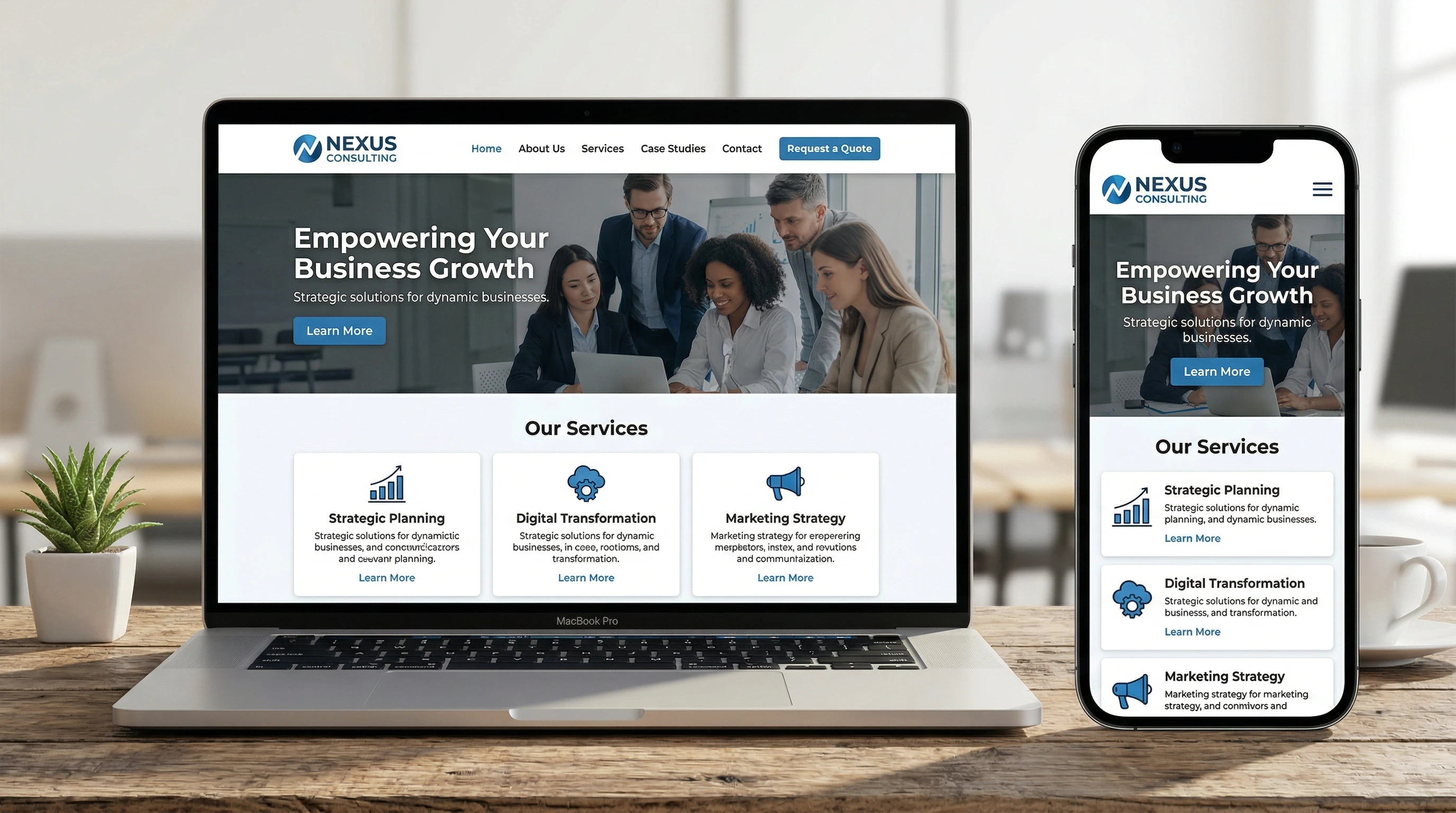
 Creating a business website once felt overwhelming to me, but it turned out to be one of the best decisions for building my brand online. A simple, well designed site helps customers find your business, trust your products or services, and start building relationships. Even if you’ve never built a website before, you can do it step by step. There’s no need for it to be complicated or expensive. So let us explore how to build a business website:
When I started building my first website, I knew nothing of SEO, plugins, Google Search Console, or pretty much anything else. I built my first website for free by using the free tier of the Wealthy Affiliate website building platform. The article you are reading now is on my second website.
So if you’re just getting started, you’re not alone. Many business owners feel lost when thinking about buying a domain, choosing a platform, or figuring out the basics of web design. The good news is, you don’t need advanced technical skills or a huge budget to create a professional looking website that supports your business goals. All you need is a guide, a plan, and the patience to work through each step.
With the Wealth Affiliate site, the patience part was really easy for me because their free tier has seven easy to follow core lessons that resulted in a viable website in just a couple of weeks. I even learned what those terms I mentioned above mean.
So, this guide is based on lessons from my first business website build. I’ll walk through the process in plain language, sharing tips from my own experience, so you can confidently get your website live and working for you. There are many platforms you can choose from and although I am using the Wealthy Affiliate platform, the basic process and tools will be very similar with all platforms.
1. Clarify Your Website’s Purpose and Goals
Before building anything, I started by getting clear on what I wanted my website to do. Every business has different goals. Your site might focus on selling products, booking appointments, showing off your portfolio, or simply sharing basic information like your location and services.
- What should my visitors be able to do? (Examples: Contact me, buy a product, read about my services, sign up for a newsletter.)
- What information do I want easy to find? (Your hours, menu, team, testimonials, or pricing.)
- How does my business stand out? (Unique selling points, personal story and experience, or mission.)
Writing down your main goals helps you focus your site’s structure and content right from the start. I’ve found this step saves time and prevents rework later on. Ask yourself these questions honestly and make notes as you brainstorm ideas.
2. Choose a Domain Name and Website Platform
Your domain name is the website address people type in their browser, like www.mybusiness.com. Picking a simple, easy to remember domain will make it easier for customers to find you online.
Tips for Choosing a Domain:
- Keep it short and easy to spell.
- Use your business name if possible.
- Avoid numbers and special characters—they tend to confuse people.
- Stick with .com, .net, or a country specific extension (like .ca for Canada) if the .com isn’t available.
- I have two websites and I pay $22 yearly for them.
After securing my domain, I compared website building platforms. If you are new to site building, I recommend:
- Wix: Drag and drop design, simple for nontech users.
- Squarespace: Polished templates, great for visual businesses.
- WordPress.com: Flexible, with many themes, if you want more control as your site grows.
- Shopify: Focused on selling products online—good for ecommerce.
- Wealthy Affiliate: which is the platform I am with. Their core training is excellent and it assures that even computer illiterate people like I was, will have a viable website (and it will be free training.)
Most platforms walk you through setup, hosting, and basic security. If you use WordPress.org, you’ll need to find your own hosting (I chose Wealthy Affiliate, but BlueHost and DreamHost are also popular and reliable choices that work with WordPress.)
3. Set Up the Basic Structure
Once my site went live, organizing the main pages became my next priority. Almost every business website needs these core pages:
- Home: Gives a snapshot of who you are and what you do. Acts as your landing hub.
- About: Shares your unique story, mission, values, or team.
- Products or Services: Describes what you offer, who benefits, and why it’s valuable.
- Contact: Makes it easy for visitors to get in touch. Always include a form, your phone number, and business address if needed.
- Testimonials or Reviews (Optional): Builds trust with real feedback from past customers.
Pro Tip:
Don’t overwhelm your visitors with too many pages at first. Keep your navigation clear and simple. You can add more sections, like a blog or FAQ, after your site has gained some traction. I did take my time adding articles to my websites. I wanted to optimize each article as well as my experience allowed me before adding the next article.
4. Create Simple, Engaging Content
Writing content for the web can seem intimidating, especially at the start. I quickly found out that clear, honest, and approachable writing in the subjects you love works best. Here’s your chance to welcome people, help them understand your business, and build trust.
How I Approach Content:
- Start with short, clear headlines so people know what to expect on each page right away.
- Use simple, plain language, just like explaining your business to a friend.
- Add high quality photos of your products, workspace, or work in progress. Great visuals build interest. Free resources like Unsplash or Pexels help if you don’t have your own images yet. I use both photos from my own photography (with laptop or Android) for my travel blogger website and images created with Image Studio within the Wealthy Affiliate dashboard for this website.
- Invite people to take action—like calling, booking, or exploring your website. I never get fancy with my call to actions. I just add one statement about what a link is and then the link.
Genuine, authentic content made my website feel approachable and helped me connect with the right visitors for my business. I use ChatGPT and Perplexity for article outlines and then I fill in the rest with my own observations and experiences.
So you add detail, and consider answering common questions or sharing a bit of your journey to add personality and set your business apart. This makes your site more memorable and can entice customers to stick around or contact you.
5. Focus on Usability and Mobile Friendliness
More than half of your visitors are likely to use their phones—so mobile friendly design is a must. The platform you pick usually handles this, but it pays to check your site personally on different devices. Ensure pages look good, text is easy to read, and buttons work well on touchscreens. Thec wealthy affiliate platform does cover this.
Simple Usability Checks:
- Is the text legible on all screen sizes?
- Are menu items and buttons large enough to tap with your thumb?
- Does your contact form submit correctly on mobile?
I asked my sister to check my site on her phone —she gave useful feedback I wouldn’t have noticed otherwise. Even a little testing goes a long way to make sure users have a smooth experience on your site.
6. Build In Search Engine Basics
Helping people find your website is crucial. At first, SEO (Search Engine Optimization) can feel technical, but a few simple changes really work.
- Sprinkle in the phrases people might use to search for a business like yours, especially in your headlines and main paragraphs.
- Make sure every page has a unique page title and description (meta title and meta description, often in site settings).
- Add descriptive alt text for every image so search engines “see” your pictures.
- List your business on Google Business Profile so local customers can spot you more easily.
Free tools such as Ubersuggest can help you track down search keywords. Even just completing these basic steps can give your website a boost in search rankings and help new visitors stumble upon you online. The Jaaxy tool on the Wealthy Affiliate dashboard is also an excellent tool that incorporates trending searches for finding promising keywords for titles and content.
7. Launch Your Website and Keep Improving
Pushing my site live was exciting and a bit nerve wracking. I took a few days to proofread, check all my links, and test the contact forms. Once it felt ready, I published my site and shared the URL on social media and my email signature.
Ways I Keep Improving:
- Ask customers what they think or if anything is missing from the site.
- Check simple analytics (offered by most platforms) to see what content gets the most attention.
- Update your content as you add new services or update existing ones.
Your website isn’t ever really finished; as your business grows, your online presence can grow with it. Every tweak helps customers stay updated and engaged with your offerings. Revisit your site every few months, review analytics, and look out for small improvements to boost performance.
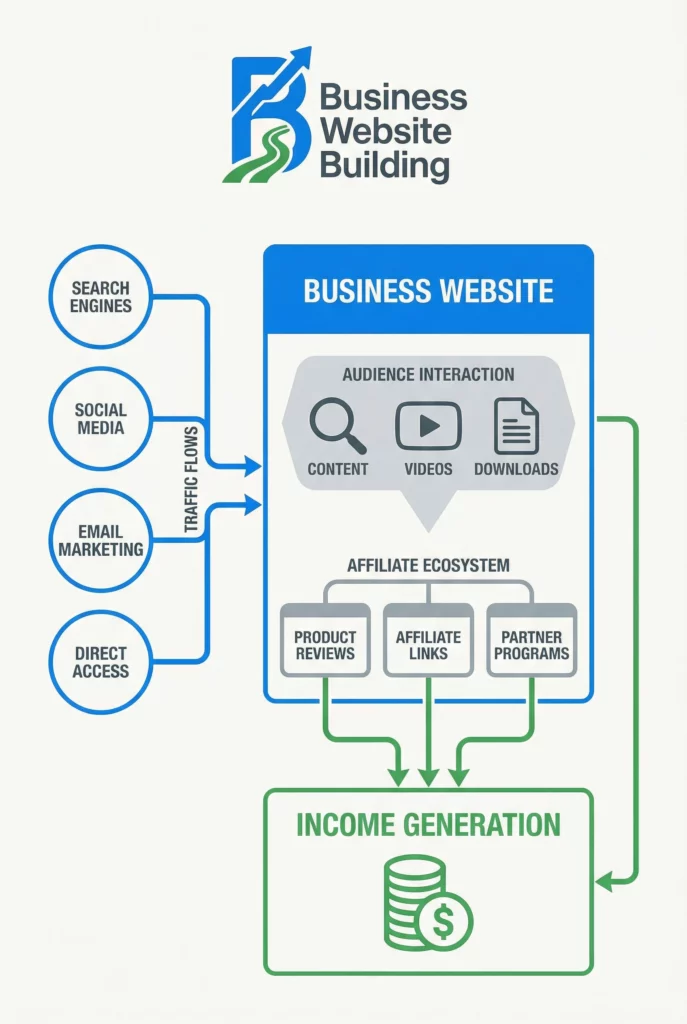
Here are some common questions that many First Time Website Builders have asked:
Do I need to hire a web designer?
If you’re comfortable using website builders, you can absolutely build your own site. For a truly unique look or complex features, a professional designer can help. I started out solo, then I joined the free tier of Wealthy Affiliate to bring in help and the platform did help my websites take off, get indexed, and guided me whenever they needed upgrades.
What happens if I make a mistake or something breaks?
Most platforms let you undo recent changes, and offer backups. I learned quickly that regularly saving and backing up my site is crucial. If you run into a problem, reach out to customer support—they’re used to helping beginners. Wealthy Affiliate has excellent customer support and they have helped me get past many issues (especially with Google Search Console).
How much will it cost to build a website?
In my case, I spent about $10-20 per year for my domain, between $5 and $15 a month for hosting or platform fees, and a bit more if I wanted a premium template or some added features. Most people start small and upgrade as their business grows and traffic increases.
Your Website Launch Checklist
- Register a domain name you love and pick a website platform.
- Plan out your essential pages: Home, About, Products/Services, and Contact.
- Write honest, welcoming content and add clear, well lit photos.
- Test everything on both mobile and desktop before launch. Don’t forget to check all of your links,
- Double check SEO basics for each page—use keywords, clear titles, and alt tags.
- Go live, spread the word, and keep your content updated regularly.
Starting a business website for the first time brought me real progress and confidence. With some patience and these beginner steps, you can build an effective site—and your business will thank you for it.
Here is a link to a blog post from Kyle who is one of the founders of Wealthy Affiliate. This blog post expresses the need for patience ,consistency, and diligence that we must adhere to when building our websites:
https://my.wealthyaffiliate.com/kyle/blog/the-90-you-dont-see?a_aid=2ee50e8b&data1=Kyleblog
Now, if anyone cares to investigate my choice of platforms to help with business website building, you can click on the following link to peruse Wealthy Affiliate with no credit card information needed because the first lessons are free:
https://www.wealthyaffiliate.com?a_aid=2ee50e8b
Building a business website is more than just a digital footprint; it’s a way to steward the talents God gave me to serve others on a global scale. Even though the technical side can feel overwhelming, I see each step of this guide as a way to build a firm foundation for the ministry of my work. I’m trusting that as I put in the effort to create this space, it will become a tool for light and connection in a digital world that truly needs it.
Hello Leah, thank you for the nice comment. I wish you the best with your ministry with a world wide reach and with building a foundation that will carry you and your website for many decades to come.