

:

Lead Magnet articles are used to turn website visitors into leads. Leads are people who express interest in the content or business of a website. They may have expressed interest by sharing their contact information by way of an e-mail. Lead Magnet articles could have something to offer the visitors to the article in exchange for an e-mail address to keep in touch.
Thus, the Lead Magnet article can promote a free resource. This offered free resource would be the Lead Magnet. The article could also offer a free signup to a training or membership with a free tier on some kind of business platform. This is what my website here has to offer; sign up for the free tier at Wealthy Affiliate and build your website.

This article is all about creating a good Lead Magnet article for our websites. I am writing this article as I research the topic.

When you are building your very first business website, it’s easy to spend days obsessing over color palettes, logo fonts, and layout styles. But here is the truth that most beginners learn the hard way: a beautiful website that doesn’t convert visitors into leads or clients is just an expensive digital business card. That is why I created this article about the 6 simple steps needed for turning visitors into subscribers which I use myself.
If your site is already live—or even if you’re currently building it—you don’t need a total redesign to see better results. Most beginner websites suffer from just a few small, easily correctable mistakes. Use this step-by-step checklist to perform a quick 15-minute self-audit, fix high-friction areas, and turn your new site into a lead generator:
Step 1: Pass the 5-Second Test (Above-the-Fold Clarity) When someone lands on your site, they decide within five seconds whether to stay or leave. If they can’t immediately figure out what you do and how it helps them, they will click away.
What to Check:
* Is your main headline clear and direct, or is it vague and clever
* Can a visitor tell who you serve without scrolling down?
The Fix: Replace generic greetings like “Welcome to My Website” or poetic slogans with a simple, direct value proposition.
* ❌ Vague: “Unlocking Your Brand’s True Inner Potential.”
* ✅ Clear: “Handcrafted Wooden Furniture for Modern Homes in Austin, TX.”
* ✅ Clear: “Virtual Bookkeeping Services for Small Business Owners.
Step 2: Clear the Path (One Primary Call to Action) A common mistake for first-time website creators is giving visitors too many options at once: “Read our blog,” “Follow us on Instagram,” “Learn about our story,” and “Contact us.” When given too many choices, most people choose nothing.
What to Check:
* Is there one prominent, distinct button above the fold on your homepage?
* Does every main page lead toward a single logical next step?
The Fix: Pick one primary goal for your website articles (e.g., getting a quote, scheduling a call, buying a product, or signing up for a newsletter). Make that Call-to-Action (CTA) button high-contrast and place it in two key spots:
* The top right of your navigation header.
* Prominently in the center of your main hero section.

Step 3: Streamline Your Main Navigation Menu when navigation menus are overcrowded, visitors feel overwhelmed. A clean, concise menu keeps people focused on what matters most.
What to Check:
* Do you have more than 5 or 6 items in your main header menu?
* Are your navigation links using standard, easily recognizable labels?
The Fix: Limit your main menu to a maximum of 5 essential items: Home, Services / Products, About, Portfolio / Reviews, and Contact. Move secondary links—such as Privacy Policy, Terms, FAQs, or social icons—down to your site footer.
Step 4: Add Immediate Social Proof & Trust Factors. First-time visitors don’t know your business yet. If your website looks like a ghost town with no proof of previous work, client feedback, or contact details, trust drops dramatically.
What to Check:
* Do you have at least 1–2 testimonials, reviews, or client logos on your homepage?
* Can visitors clearly find a way to contact a real human?
The Fix: * Add a Testimonial Section: Place 2 or 3 short quotes from past clients right on the homepage. Include their name and photo if possible. Humanize Your “About” Section: Include a clear photo of yourself or your team. People prefer doing business with people, not nameless websites.
* Visible Contact Info: Display a clear contact email address or direct contact form link.

Step 5: Test for Mobile Readability & Comfort. More than 50% of web traffic globally comes from mobile devices. If your website only looks good on a desktop computer, you are missing half your audience.
What to Check:
* Open your website on your mobile phone. Do you have to zoom in to read any text?
* Are buttons large enough to easily tap with a thumb without accidentally hitting other links?
The Fix: * Keep body text at a minimum size of 16px for easy mobile reading. Ensure generous vertical spacing between sections so mobile users aren’t overwhelmed by large walls of text. Ensure button paddings are generous (minimum 44×44 pixels target area).
Step 6: Optimize Images for Fast Page Loading. Slow-loading websites frustrate visitors and hurt your search rankings. In 9 out of 10 beginner websites, slow loading times are caused by uploading uncompressed, oversized images directly from a phone or stock photo site.
* Do your homepage images take more than a second to render or pop up in pieces?
The Fix: Never upload raw camera photos (which can be 5 MB to 10 MB each). Use free web tools (like TinyPNG or Squoosh) to compress image files before uploading. Aim to keep all website images under 200–300 KB. I actually use a plugin called Kraken which seems be working pretty good for my websites.
I created the following image with Image Studio that can be found on the Wealthy Affiliate website building platform. It is there that you can find a very trustable, reliable hosting platform that will guide you through the complete process of building a website and then optimizing it.
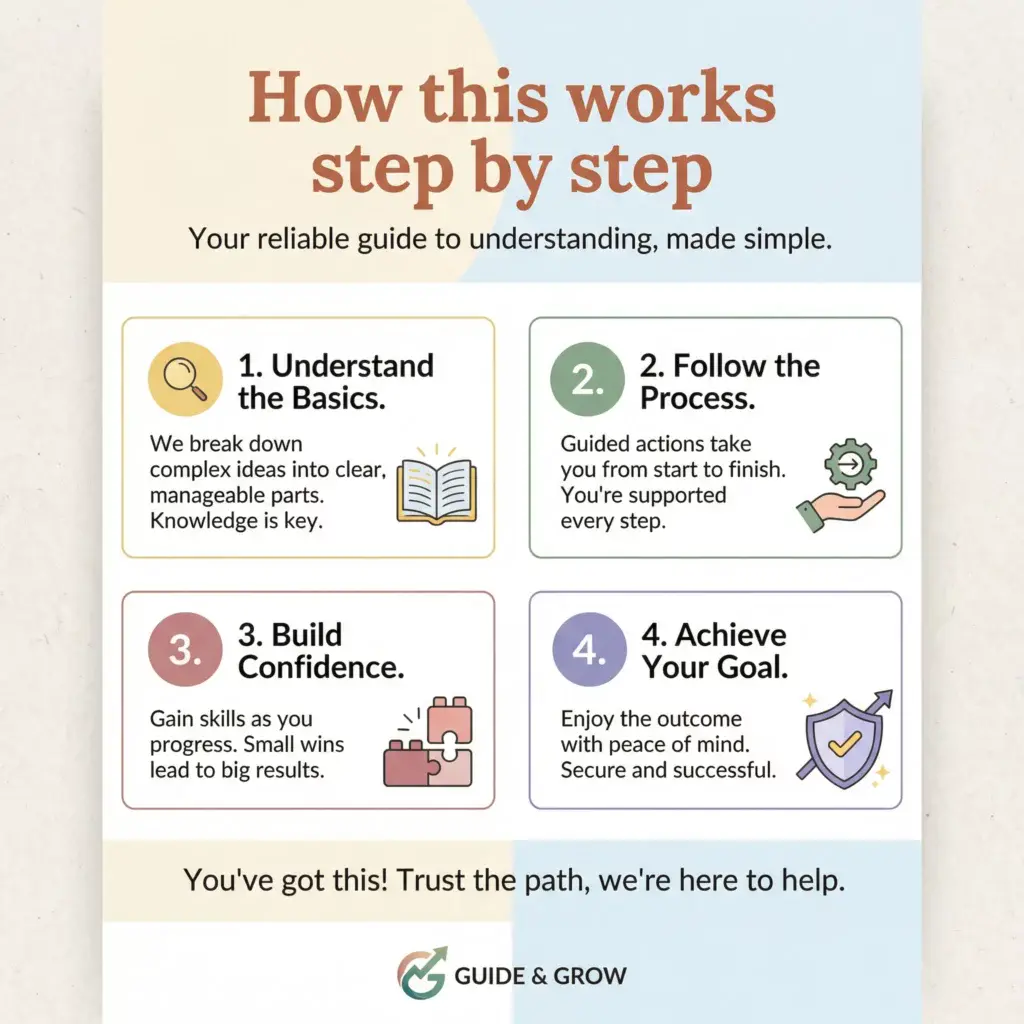
So, back to the basics:
This article is all about creating a Lead Magnet article for our websites. I came to recognize that I could really use a Lead Magnet article on my websites. So I started building this article while researching about creating such an article.
Lead Magnet articles are not very long, drawn out affairs. They should be to the point explanations of what you have to offer your visitors. These articles will be very relevant to your intended target audience. They will be very valuable and actionable.
Lead Magnet articles must quickly and, with precision, show your visitors that you can be trusted. What you have to offer your target audience is valuable and useful to them. Published content is highly relevant to the readers. I do try to find useful content to research and share with the articles on my websites. I am working on attracting more traffic and engagement to my websites so I can get inspiration from the comments I get from my visitors. That is what this is all about; steps needed to turn visitors into subscribers.
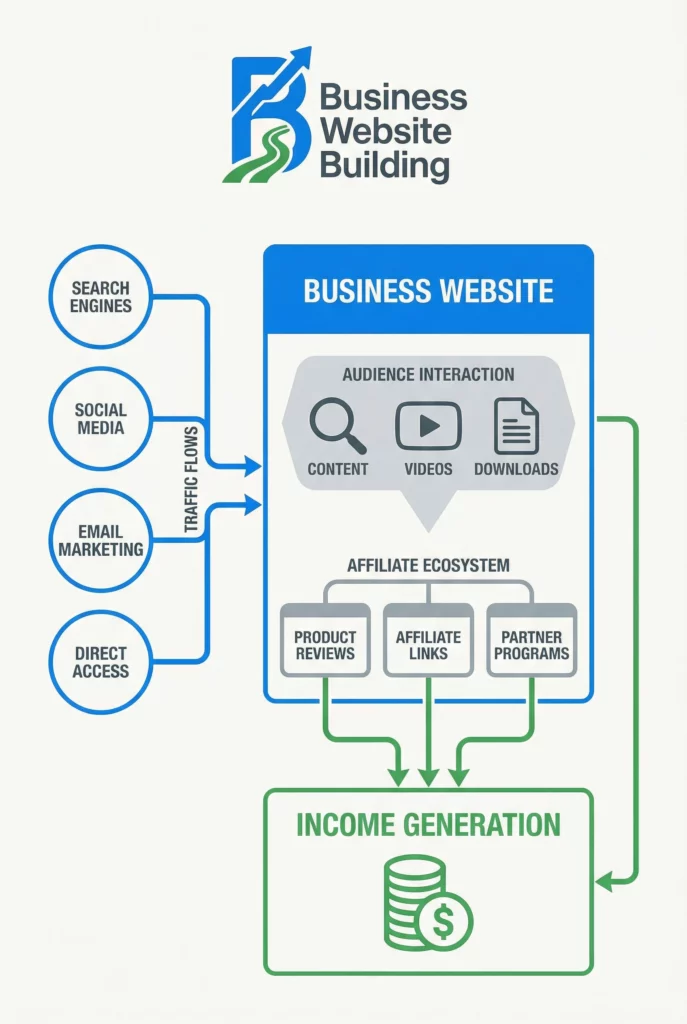
The following image is another version of what our work flow looks like when building a business website. I also created this image with Image Studio. Image Studio here at Wealthy Affiliate has changed recently. Now we have ACE. This is our personal AI agent and everybody at Wealthy Affiliate has ACE AI agent, even those on the free tier. We now go to our Studio where ACE writes our article drafts and creates our images too.
None of these 6 simple steps needed for turning visitors into subscribers require a developer, a redesign, or a big budget. They just require 15 minutes or so for looking at your own site the way a first time visitor would, and then fix whatever is getting in the way. Pick one step today, make that one fix, and watch how something that small can start turning casual visitors into real subscribers.
Well, that’s it for now. If I come up with anything else, I will give updates here. Thank you for reading; MAC
Hey MAC,
These are some really great tips you have shared here and lots of great troubleshooting steps for beginners. Yes, I agree that the main menu navigation is very important and should have only the links to actual informational sections of the website.
Thanks for sharing and keep it up!
Marlinda
Thank you so much for the great comment. I am still working on getting my Home Pages set up in settings-Reading…
I now believe that I should have my Home Pages set up on my websites.